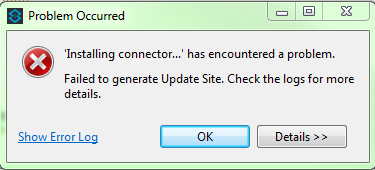
Mule DevKit - Solution of "Failed to generate Update Site" error

Anypoint Studio with DevKit Extension provides a convenient way for building your Mule ESB cloud connector. However, you may experience "Failed to generate Update Site" error after installing the same connector multiple times.
This happens because the older version of your connector is used by Anypoint Studio after the first installation, even if no instance of the connector is placed in any Mule flow.
Therefore, Studio can not delete these resources and complete installation of a newer connector version. To quickly resolve this issue, exit the Anypoint Studio and then open the command line and navigate to the folder with your connector project, as shown on the figure bellow:
Now you need to delete the old connector via Maven Clean Plugin by typing this command: mvn clean After these steps, start Anypoint Studio again and you should be able to install a new version of your connector and start using it in Mule flows.